KEEP THIS HANDY
Controls at a glance.
- Grid
- Tap or click a cell to move the plane.
- Flags
- Select a flag to revisit the displayed route.
- Retry
- Tap or click after a crash to try again.
Bring the plane back along the route
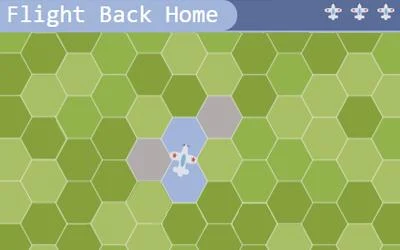
Watch the plane’s outbound path on a hexagonal grid, then choose the cells that retrace it home. The return journey includes the final landing.
How the game works
The flags above the grid can remind you of the route. A wrong cell causes a crash, after which you can tap or click to make another attempt.
A practical starting point
Story mode has lives and rewinds, and periodically lengthens the route. Free Play lets you select the number of sectors, lives and rewinds before beginning.
What happens to your progress?
A portable save or cross-device synchronization is not established by the reviewed documentation. Check the original game before relying on a later return.
Check the save and backup guide ↗A FEW USEFUL ANSWERS
Before the next click.
Can I review the outbound route?
The flags above the board provide reminders of the route.
Does this site’s Saved button keep my progress?
Saved keeps a link to this profile on your device. Game progress belongs to the game and its host.
A useful next read.
Build a small route, then inspect its bottleneck. ↗Follow the source.
John Kilmister. Licence notice. Source and image rights remain with their creators; see notices.
Latest collected source change: Update genres (opens a new tab) . Repository activity does not identify the hosted game version.
All media and source credits ↗