KEEP THIS HANDY
Controls at a glance.
- Mouse / left click
- Move a block and place it.
- Mouse wheel / arrows
- Rotate the block.
- R / Escape
- Restart / return to level selection.
Stack blocks around a round world
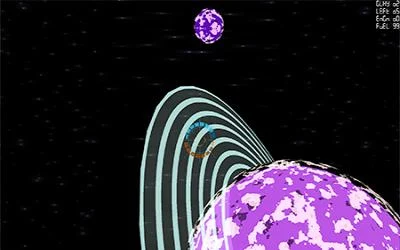
Place blocks around small planets with circular gravity. A level has a required number of blocks, while an endless mode asks how many can fit.
How the game works
The pointer positions a block and a click places it. The mouse wheel or arrow keys rotate it, changing which surfaces will meet the existing arrangement.
A practical starting point
Look at the curve and the neighboring blocks before committing a piece. R restarts, while Escape returns to the level selection described by the creator.
What happens to your progress?
A portable save or cross-device synchronization is not established by the reviewed documentation. Check the original game before relying on a later return.
Check the save and backup guide ↗A FEW USEFUL ANSWERS
Before the next click.
Are there two ways to rotate a block?
Yes. The creator lists the mouse wheel and the arrow keys.
Does this site’s Saved button keep my progress?
Saved keeps a link to this profile on your device. Game progress belongs to the game and its host.
A useful next read.
Build a small route, then inspect its bottleneck. ↗Follow the source.
Tom Hermans. Licence notice. Source and image rights remain with their creators; see notices.
Latest collected source change: Update genres (opens a new tab) . Repository activity does not identify the hosted game version.
All media and source credits ↗