KEEP THIS HANDY
Controls at a glance.
- Arrow keys
- Move all active figures.
- Backspace / Z
- Undo a move.
- R / Enter
- Restart with R; open the pause menu with Enter.
Track a move across the whole room
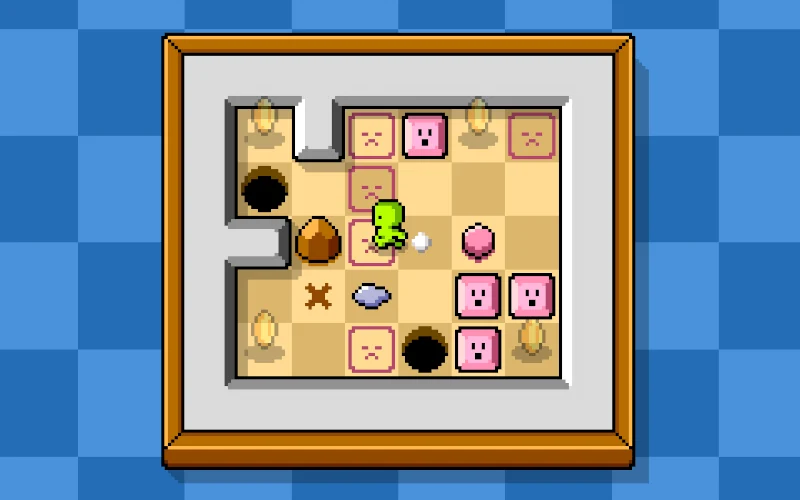
Choose one direction and mentally follow every figure that can respond. A wall that stops one figure can let another move into a useful position. The important unit of planning is the complete arrangement, since the controls do not select a single character.
Use undo to test a local claim
Backspace or Z lets you reverse a move. Before experimenting, decide what you expect the move to teach: whether a figure stops, whether a hazard removes it, or whether another route stays open. Undo then gives you a known arrangement for comparing the next idea.
Read the theme before choosing this puzzle
The creator describes the objective as making all the figures die. The presentation is abstract, but the theme still matters when choosing a game for someone else. The linked competition build has 13 puzzles; this profile does not provide a solution sequence or claim that all were completed.
What happens to your progress?
A portable campaign export is not established by the reviewed entry. Check the running game before relying on a later resume.
Check the save and backup guide ↗A FEW USEFUL ANSWERS
Before the next click.
Can I move one figure independently?
The creator’s central rule is that you control all figures at the same time.
Can I reverse a mistake?
The documented undo keys are Backspace and Z.
A useful next read.
Plan a puzzle move, then use undo to test it. ↗Follow the source.
Jani Nykänen. Licence notice. Creator/source notices; see attribution.
Latest collected source change: Update genres (opens a new tab) . Repository activity does not identify the hosted game version.
All media and source credits ↗