KEEP IN MIND
- Use the release URL and current in-game documentation.
- Read the exact failure message.
- Check RAM before scaling a script.
- Keep a separate game export before a migration.
Start on the release host
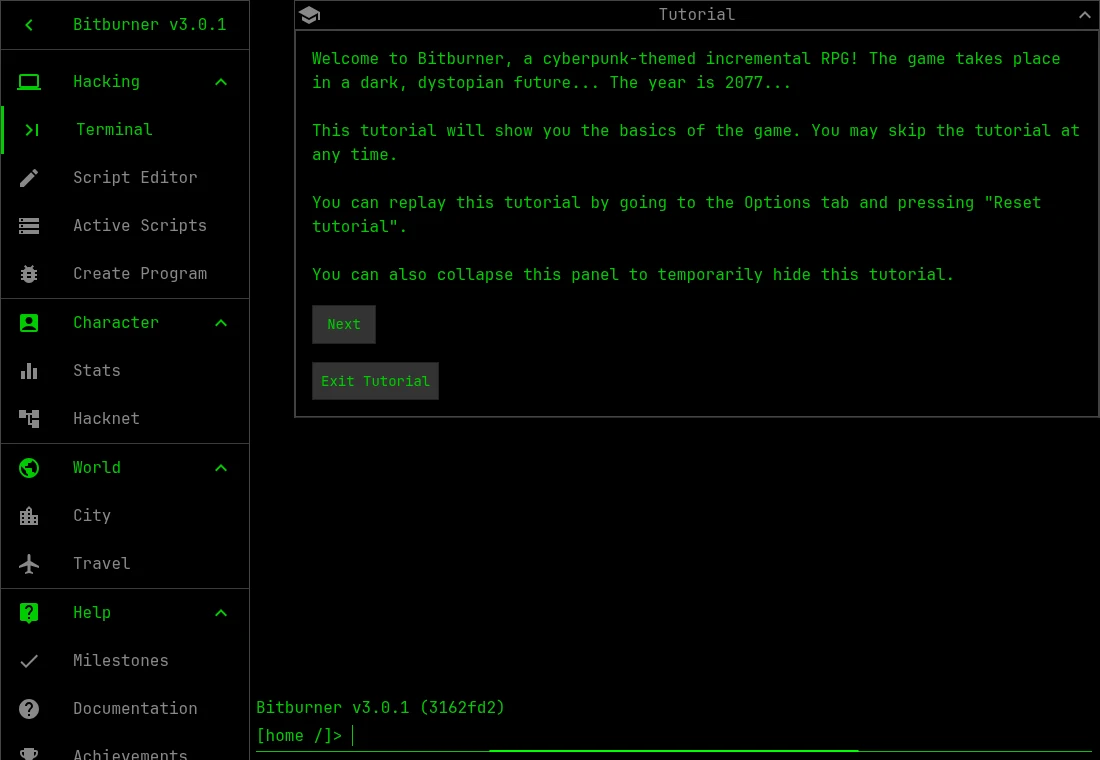
The project README lists bitburner-official.github.io as the release build and /bitburner-src/ as development. Use the release address for this guide. Record the version visible in the game when comparing documentation or reporting a problem. An example written for development can refer to behavior that differs from the release.
Read one terminal response
Keep the tutorial open and perform the step it currently requests. Before automating that action, notice what the terminal prints and what changes in the interface. The setting uses simulated hacking terminology; the game’s commands operate inside that simulation. You do not need to apply them to real networks or accounts.
Make a script whose behavior you can explain
Use the in-game Documentation and current Netscript API reference. Begin with the small action the tutorial has introduced. If it does not start, inspect the message and the script’s RAM requirement. When it does run, look at its output and resource use before increasing the number of copies or adding unrelated tasks.
Keep capacity and program errors separate
An unavailable function, a syntax problem and insufficient RAM require different fixes. Read the actual failure message before editing. Changing the environment and the program together makes a new result harder to interpret. Save a working small version before attempting a broader automation plan. This is a debugging habit rather than a prescribed optimal build.
Export before changing browsers or editions
The current browser implementation writes its save to IndexedDB. Options offers export/import, and the project FAQ describes using that route across browsers and Steam. Preserve the exported file separately before experimenting with another host or importing older progress. The guide’s Saved button keeps a link, so it cannot back up your Bitburner game.