KEEP IN MIND
- Track briefly before committing a shot.
- Read the interface’s shot and wave feedback.
- Use P to pause and M to mute.
- Code and original game media have separate rights.
Follow a target without firing immediately
Let the pointer travel with the moving target briefly. Notice whether your motion stays smooth or repeatedly overshoots. Then choose a deliberate shot and watch the game’s response. This is a starting exercise for this browser recreation; it does not establish a guaranteed hit or a complete scoring strategy.
Read the shot and wave indicators
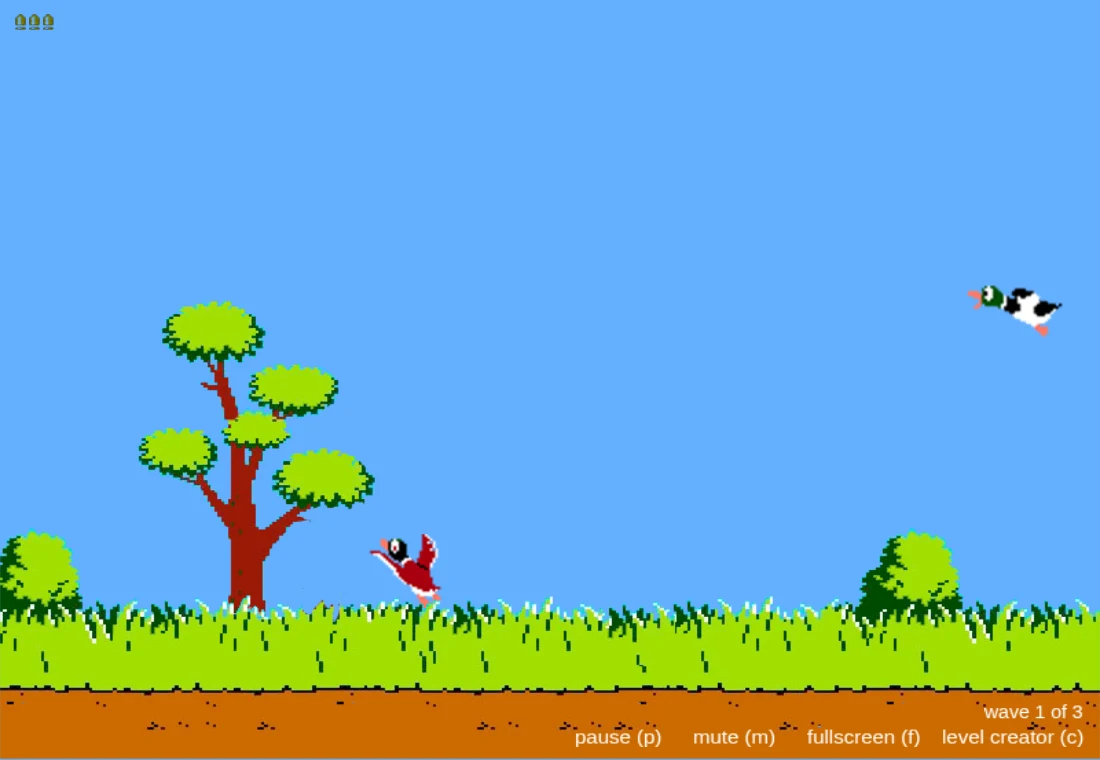
The captured host shows remaining-shot symbols and wave information. Inspect those between actions so you know which event the interface is reporting. A target leaving the screen, a missed click and the end of a wave can have different feedback. Learning that feedback makes an unsuccessful attempt easier to diagnose.
Use pause and mute while learning
The live interface labels P for pause, M for mute and F for fullscreen. These controls can make it easier to inspect the playfield or stop when interrupted. Browser audio policies can also require a user interaction before sound starts. A silent initial page is not enough evidence that the target logic failed.
Choose a pointer you can position comfortably
A mouse and trackpad both produce pointer motion, but their practical feel can differ. Use one comfortable setup for the first attempts and keep the game large enough to read. This site does not describe an untested touch session as equivalent to using the desktop pointer. Check the game’s actual response on your device.
Distinguish this implementation from its source material
The project uses PixiJS and Howler in a JavaScript recreation of Duck Hunt. Its MIT code notice does not transfer rights in original Nintendo game art, audio or names. The image here is an attributed capture from the project-linked host; no asset download or commercial reuse permission is offered by the guide.