KEEP THIS HANDY
Controls at a glance.
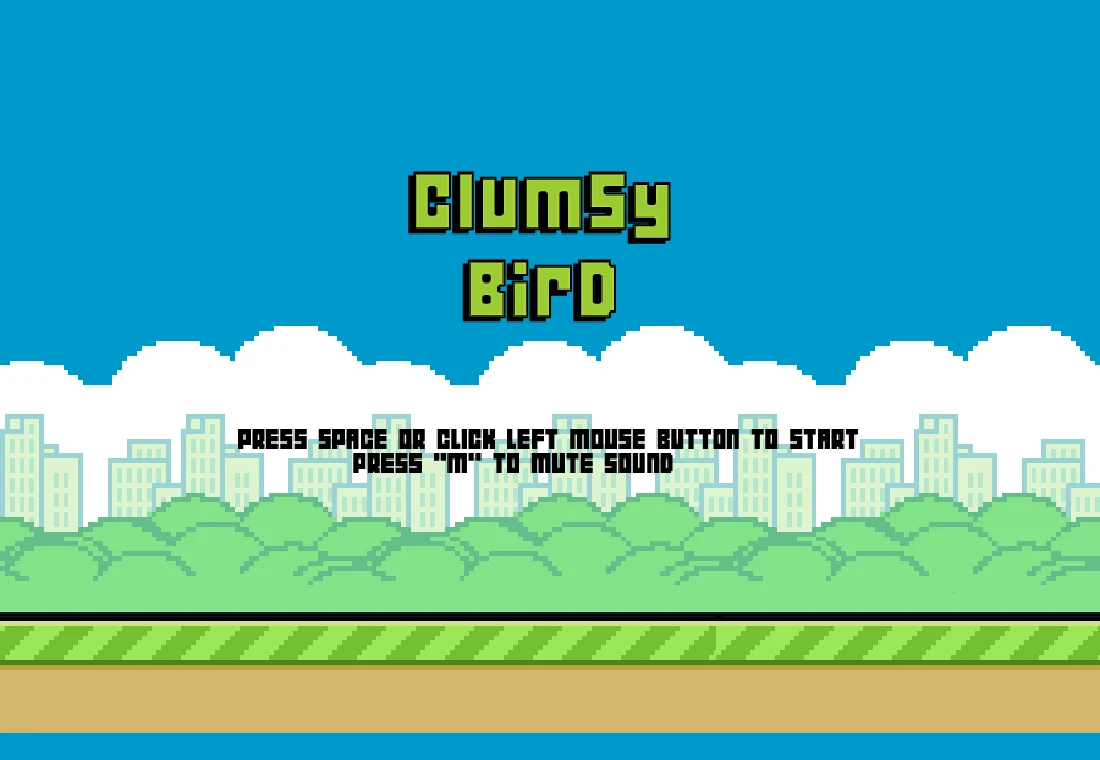
- Space / left mouse button
- Start from the title screen and flap in the game.
- Tap
- Touch input is included by the project.
- M
- Mute toggle shown on the desktop title screen.
Aim for space inside the gap
As a beginner’s approach, treat the center of the opening as a reference rather than steering close to either pipe edge. A flap changes the bird’s vertical movement while the scenery continues moving. Several rapid inputs can push you too high before you have time to correct.
Watch the next obstacle early
Shift your attention to the approaching opening once the current pipe is safely behind you. That gives you more time to adjust gradually. The aim of an early session is to understand the response to one input, not to match a high-score image or a number reported by another player.
Choose a comfortable input and screen
The title source binds Space and the left mouse button, with a tap prompt on touch devices. Use the control that lets you repeat a small movement without tension. A responsive guide page does not establish that the external game will have comfortable sizing or reliable audio on every phone.
What happens to your progress?
Do not treat a best-score display as a resumable run.
Check the save and backup guide ↗A FEW USEFUL ANSWERS
Before the next click.
Is it an original Flappy Bird release?
No. It is a separate melonJS game inspired by that design.
Can I save midway through an attempt?
No resumable-run interface is documented in this guide. A score record and a saved live run are different things.
A useful next read.
Small controls, different timing: choose a short arcade game. ↗Follow the source.
Ellison Leão and Clumsy Bird contributors; built with melonJS. Licence notice. GPL-3.0 project; upstream asset notices apply.
Latest collected source change: Change LICENSE to GPLv3 (opens a new tab) . Repository activity does not identify the hosted game version.
All media and source credits ↗