KEEP THIS HANDY
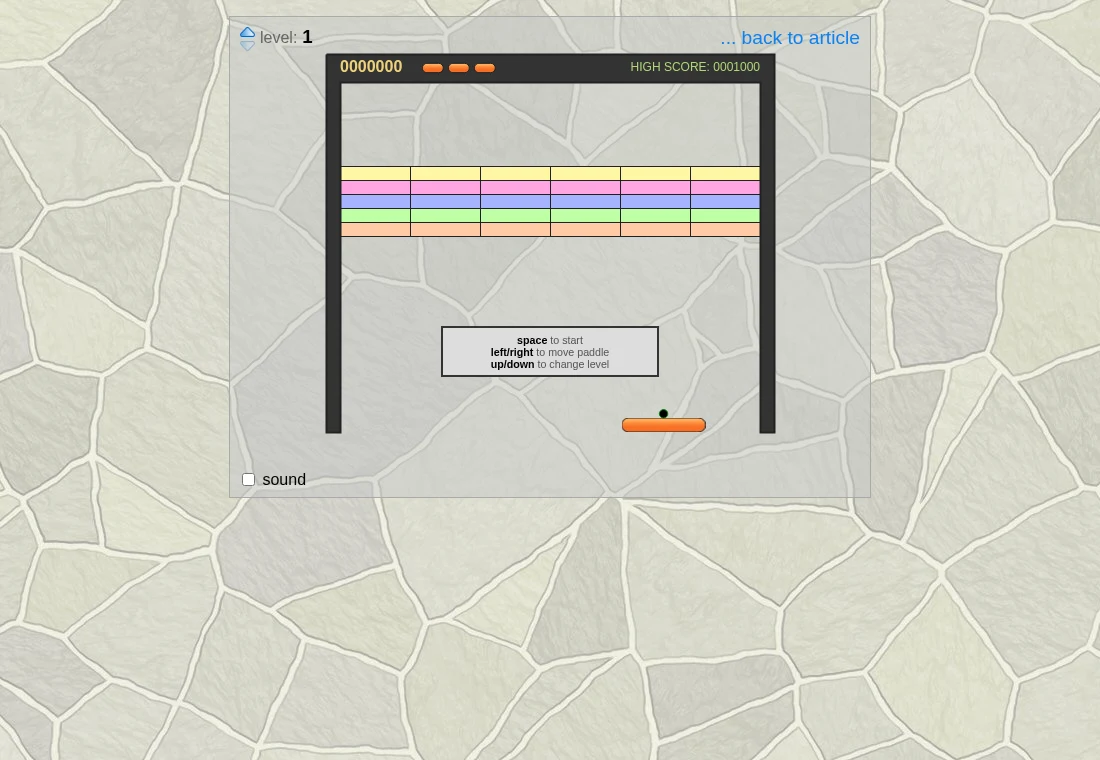
Controls at a glance.
- Space
- Start with keyboard controls.
- Left / right
- Move the paddle.
- Up / down
- Change level as described by the interface.
- Touch / drag
- Touch the start area, then drag the paddle on supported touch devices.
Move toward the landing point
As a learning technique, watch the ball as it descends and estimate where it will reach the paddle. Following its current horizontal position with constant small corrections can make you late to the actual landing point. Leave enough room to adjust when a side-wall bounce changes the approach.
Use the layout to practice a particular bounce
The original interface exposes level selection with the up and down controls. Repeating one arrangement helps you learn how walls and remaining bricks redirect the ball. Changing a level is an exploration control, so this guide does not present it as evidence of earning progression through earlier boards.
The implementation has useful reading behind it
The creator’s articles explain collision detection, state handling, sound and touch input. If you are interested in how a compact browser game works, those notes connect the visible paddle-and-ball behavior to the implementation. The code and sound effects carry different licence terms; the MIT label is not a blanket licence for every asset.
What happens to your progress?
No persistent campaign or save export is documented for this demonstration.
Check the save and backup guide ↗A FEW USEFUL ANSWERS
Before the next click.
Does this need an emulator?
No. It is a JavaScript and Canvas implementation.
Is every file MIT licensed?
The code uses MIT terms. The sound effects have separate notices described in the project.
A useful next read.
Small controls, different timing: choose a short arcade game. ↗Follow the source.
Jake Gordon; individual sound creators credited upstream. Licence notice. MIT code; sounds have separate CC BY-ND 2.0 terms.
Latest collected source change: updated links s/codeincomplete.com/jakesgordon.com (opens a new tab) . Repository activity does not identify the hosted game version.
All media and source credits ↗