KEEP THIS HANDY
Controls at a glance.
- Arrows / A W D / vim keys
- Use the directional scheme described by the project.
- Tutorial
- Learn the ship actions before navigating freely.
- Map zoom
- Use the game’s zoom control to inspect the surrounding sea.
Navigate the whole ship
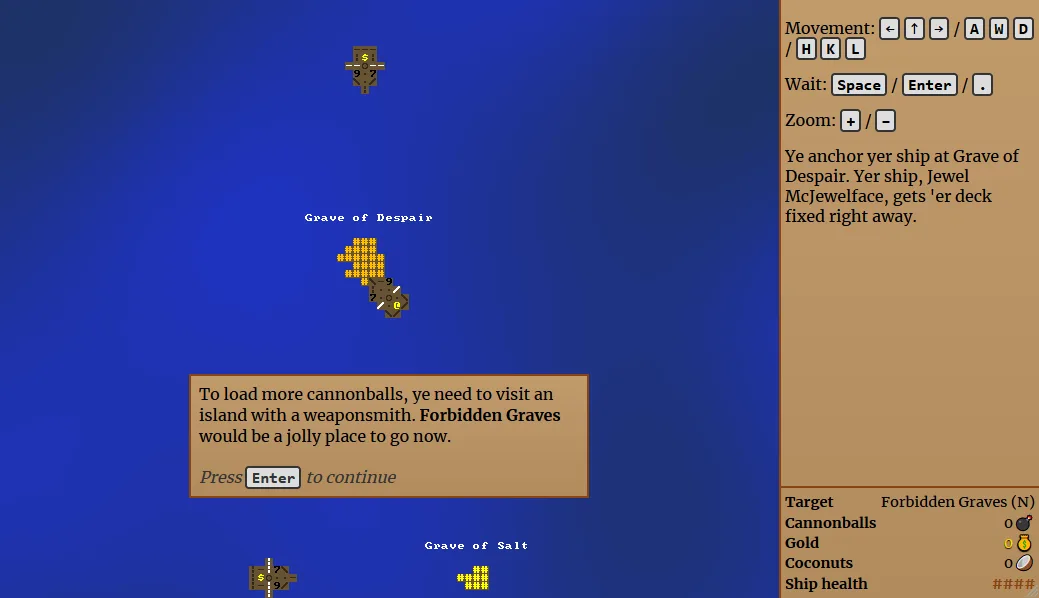
Rogue Sea uses multi-tile entities and offers three ship sizes. Read the occupied area before judging a passage by a single leading tile. A map that looks open at one point may constrain the rest of the ship. Use the zoomable view to understand the relationship between the hull, coast and nearby vessels.
Learn turns through the tutorial
The README calls the game turn-based and includes a tutorial. Use that introduction to connect a keyboard command with its movement or combat consequence. A pause between decisions is useful for reading the current position; it does not establish that any other browser tab or external service is preserving a campaign backup.
Check the rendering stage
The game renders bitmap tiles through WebGL and includes spatial audio. If the page opens but the sea does not render, distinguish that failure from a keyboard-focus problem. Report whether the title, tutorial or rendered map appeared. This profile verifies original-host delivery and documented mechanics, without claiming a completed voyage or physical-phone control scheme.
What happens to your progress?
A portable campaign backup was not established by the reviewed documentation. Treat the linked game and this site’s Saved shortlist as separate records.
Check the save and backup guide ↗A FEW USEFUL ANSWERS
Before the next click.
Does it need a mouse to steer?
The creator describes keyboard control using arrows, AWD or vim keys.
Why watch the ship’s size?
Ships are multi-tile entities, and the project documents three sizes.
A useful next read.
Choose a game for the controls you have. ↗Follow the source.
Ondřej Žára; additional asset credits in repository. Licence notice. See original repository and individual asset notices; no blanket asset licence asserted.
Latest collected source change: Update favicon URL in index.html (opens a new tab) . Repository activity does not identify the hosted game version.
All media and source credits ↗