KEEP THIS HANDY
Controls at a glance.
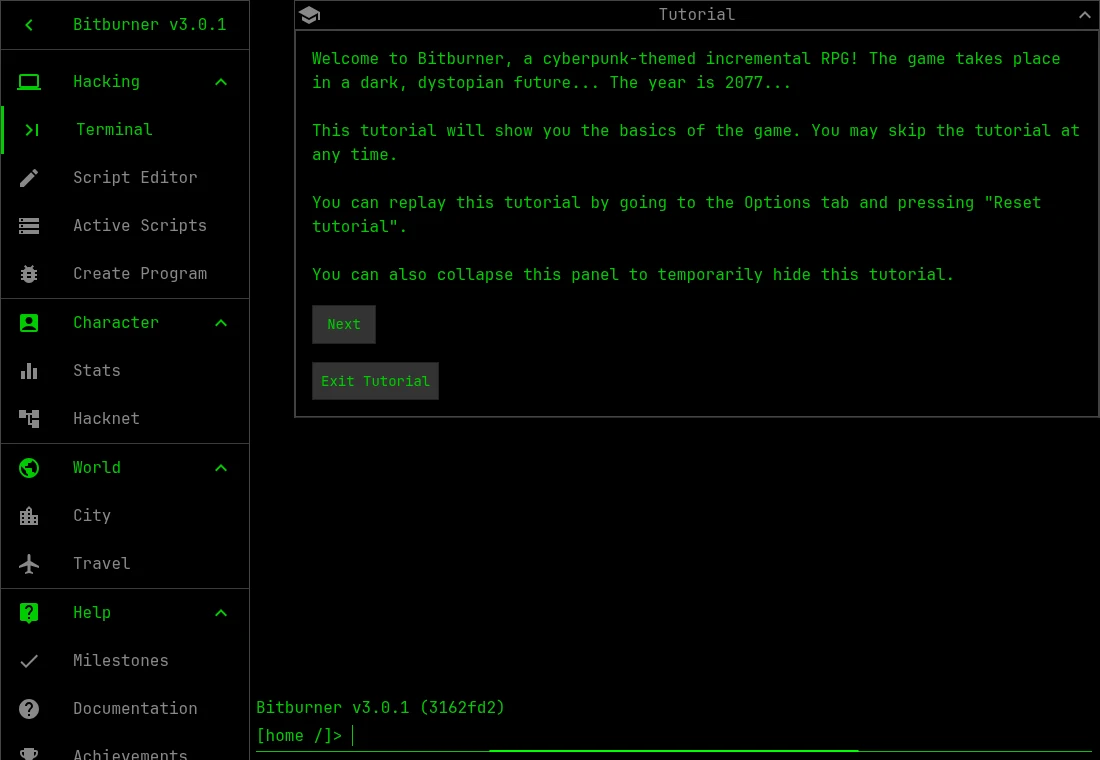
- Terminal
- Enter the in-game commands taught by the tutorial.
- Script Editor
- Write a script using the current Netscript documentation.
- Options
- Find tutorial reset and save import/export controls.
Learn the terminal response before automating it
The tutorial introduces the game’s simulated environment. Keep its instructions visible while learning a command, and observe the response before composing a script around it. The game’s Documentation and API references describe the current methods. Examples from an old forum or development build can differ from the release you are playing.
A script competes for resources
Automation consumes the game’s available resources, including RAM. Start with a small script whose behavior you can explain. If it will not run, compare its stated requirement with the capacity available in the chosen environment. Adding more copies before understanding the limit can leave you debugging resource allocation and program behavior at the same time.
Back up before switching hosts
The project lists separate release and development URLs. Browser storage belongs to a particular origin and profile. The source stores browser saves in IndexedDB and implements export/import. Keep an export before trying another host or the Steam edition. The repository’s Apache notice includes Commons Clause restrictions, so it should not be described as an unrestricted commercial reuse licence.
What happens to your progress?
Browser saves use IndexedDB. Options provides export/import for moving or backing up a game; keep a separate export.
Check the save and backup guide ↗A FEW USEFUL ANSWERS
Before the next click.
Which browser build does this link open?
The README identifies bitburner-official.github.io as the release host. Its /bitburner-src/ address is the development build.
Does saving use this guide’s Saved button?
No. Saved remembers a guide entry. Bitburner stores its own game and provides its own export/import interface.
A useful next read.
Bitburner: run a small script and keep an export. ↗Follow the source.
Bitburner developers and contributors. Licence notice. Apache-2.0 with Commons Clause restrictions.
- Release and development hosts
- Current in-game documentation
- Save and export implementation
- Browser save database
Latest collected source change: GANG: Fix gang member level formula (#3195) (opens a new tab) . Repository activity does not identify the hosted game version.
All media and source credits ↗