KEEP THIS HANDY
Controls at a glance.
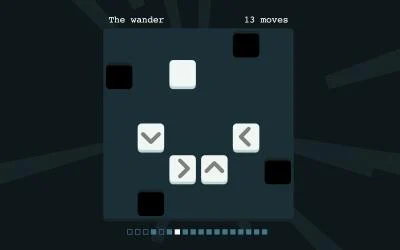
- Tap / click a square
- Interact with the board and observe the result.
- Swipe right
- Reset a puzzle or return to an older one.
- Swipe left
- Skip a puzzle.
Give the first tap a question
The creator deliberately invites experimentation. Choose a square because you want to learn what it changes, then follow the result across the board. This makes a restart useful: you can compare a second opening against the same initial arrangement instead of tapping without a hypothesis.
Separate a reset from a skip
The two swipe directions serve different purposes. Returning to the start is useful when you understand a mistake and want to replay an opening; skipping lets you inspect another puzzle when you need a change. Read the resulting screen so a navigation gesture is not mistaken for a board interaction.
Keep bonus access in context
The competition description mentions three bonus puzzles connected to web monetization. That historical description does not establish that the original payment mechanism still works in your browser. Start with the public game and evaluate the available puzzle set directly; this guide makes no purchase or bonus-unlock promise.
What happens to your progress?
A portable campaign export is not established by the reviewed entry. Check the running game before relying on a later resume.
Check the save and backup guide ↗A FEW USEFUL ANSWERS
Before the next click.
Does it have documented touch input?
Yes. The creator describes tapping squares and swiping to navigate.
Are the bonus puzzles guaranteed available?
No. The entry mentions a web-monetization mechanism whose current operation is not established here.
A useful next read.
Read the feedback before making the next gesture. ↗Follow the source.
Quinten Clause. Licence notice. Creator/source notices; see attribution.
Latest collected source change: Update genres (opens a new tab) . Repository activity does not identify the hosted game version.
All media and source credits ↗