KEEP THIS HANDY
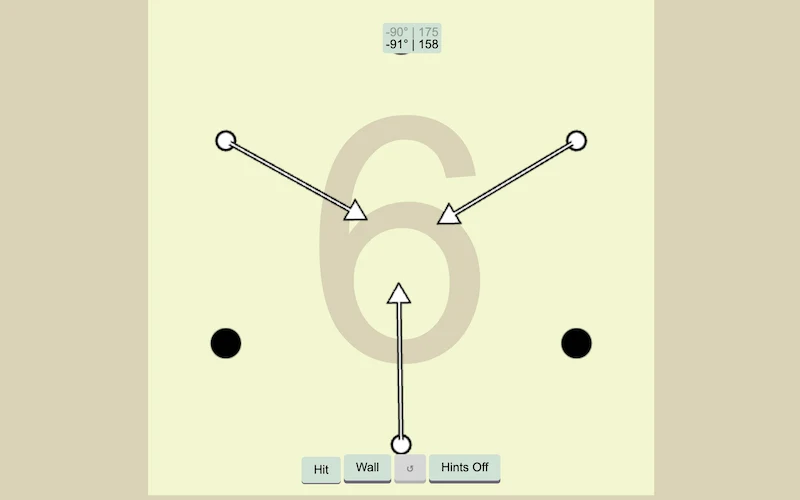
Controls at a glance.
- Mouse / touchpad
- Aim and hit the ball.
- Wall button
- Add a redirecting wall when available.
- Hint button
- Toggle the available hints.
How the game works
The creator describes mouse or touchpad input for hitting the ball. Observe how the ball travels after a shot before changing the strength or direction of the next attempt.
A decision to watch
A wall button becomes available in some situations. A wall changes the path that follows, so place it with the expected rebound in mind rather than treating it as another shot.
Try a first session
A hint control can be toggled when you want help reading a hole. The source describes a mouse or touchpad; it does not establish a completed phone playthrough.
What happens to your progress?
A portable save or mid-run resume is not established by the reviewed instructions. Check the game’s own menu before clearing its browser data.
Check the save and backup guide ↗A FEW USEFUL ANSWERS
Before the next click.
What is the wall for?
When the wall button is available, placing a wall changes the ball’s subsequent path.
Is there help with a hole?
The game provides a hint control that can be toggled. The creator describes aiming with a mouse or touchpad.
A useful next read.
Drawing and aiming games: follow the full path ↗Follow the source.
Matt McKenna. Licence notice. MIT code licence as reported by GitHub; original media rights are separate.
Latest collected source change: hints button (opens a new tab) . Repository activity does not identify the hosted game version.
All media and source credits ↗