
01 / GET YOUR BEARINGS
How to start NFS: Most Wanted
Street racing and police pursuits from the 2005 PC game.
Match the 2005 project
Open the selected JustPlayWeb route in another tab. This entry covers the 2005 Most Wanted project; another game edition or the historical itch.io project has its own launch behavior.
Review the launcher and choose Start game
Inspect the resolution choices offered on the host page, then choose Start game. The recorded action opened the game’s loading window with Starting game / Loading messages. A loading window alone does not establish a race.
Wait for an actual car scene
No controllable car, acceleration, steering or braking effect was established. If the launcher or loading picture remains, use the host instructions and the loading checklist below. The host’s browser-progress claim is not an independently verified save-restoration result.
02 / KEEP THIS HANDY
NFS: Most Wanted controls
These notes describe the selected project. Read its current control instructions on the original website.
Creator’s control instructions
For device and input help, see the keyboard, pointer and touch guide.
03 / BEFORE YOU CLOSE
Saving progress in NFS: Most Wanted
Not verified
Favorites keeps this guide link. For game progress and backup checks, read the save and backup guide ↗.
04 / KNOW THE VERSION
About this NFS: Most Wanted project
- Genre
- Racing
- Project type
- Browser port
- Listed original release
- 2005
- Graphics
- 3D / WebAssembly port
The 2005 game, not the 2012 namesake
This entry concerns the 2005 PC street racer by EA Black Box, published by Electronic Arts. The provider describes Rockport, fifteen Blacklist rivals and the BMW M3 GTR. It is separate from the 2012 game with the same Most Wanted name and from multiplayer projects using similar names.
A separate host with its own requirements
JustPlayWeb describes this as an unofficial WebAssembly port and recommends desktop Chrome or Edge with a dedicated GPU. The launcher lists keyboard and gamepad input and English game language. These are provider statements; mobile play, controller mapping and a completed race have not been independently tested here.
Why the game opens on another website
The checked launcher responds successfully but sends X-Frame-Options: SAMEORIGIN, preventing this site from embedding it. Use the direct launcher rather than waiting for a blocked frame. This guide does not host the commercial game files or claim affiliation with Electronic Arts.
Local progress belongs to that host
Private browsing, cleared site data or a different device may leave you without that local record.
When the game does not reach a race
Check whether the failure happens before the launcher, after Start game or after the game begins rendering. Try a lower launcher resolution for graphics problems and consult the provider’s current help. The browser loading checklist explains how to distinguish input, download and graphics issues.
When startup stops before gameplay
For a blank canvas or a return to the loading screen, use the browser-game loading checklist. If the scene appears but a documented key does not respond, check the keyboard and input-focus guide. These general checks do not establish that this project reached gameplay.
Compare the two Most Wanted project routes
This page selects the JustPlayWeb route for the 2005 game. The separate dezm0n project listing records another route and its source credits. Compare the named host and project notes before choosing; a shared game title does not establish identical builds, compatible saves or a working race.
Launcher and framing headers checked November 4, 2026. A completed race, mobile input and successful save restoration have not been verified.
05 / QUICK ANSWERS
NFS: Most Wanted questions
Where does the main launch button open?
The main launch button opens the JustPlayWeb project in a new tab. Start game reached a loading window in the recorded check, not a verified race.
Can I play it inside this page?
The checked provider blocks embedding. The main button opens its separate launcher, where you select Start game.
Is this the 2005 or 2012 Most Wanted?
The linked provider identifies the 2005 PC game by EA Black Box. This page does not describe the 2012 release.
Can I play on my phone?
The provider recommends a desktop browser and the launcher lists keyboard and gamepad input. Touch controls and phone performance have not been verified.
Is my career saved by this website?
No. Not verified for this build.
06 / FOLLOW THE SOURCE
NFS: Most Wanted sources & credits
EA Black Box / Electronic Arts; browser port credited to dezm0n by the launcher; hosted by JustPlayWeb. Commercial original; no redistribution licence claimed. Licence & asset notice.
- Directory project record
- Provider overview and version information
- Launcher, input and local-save information
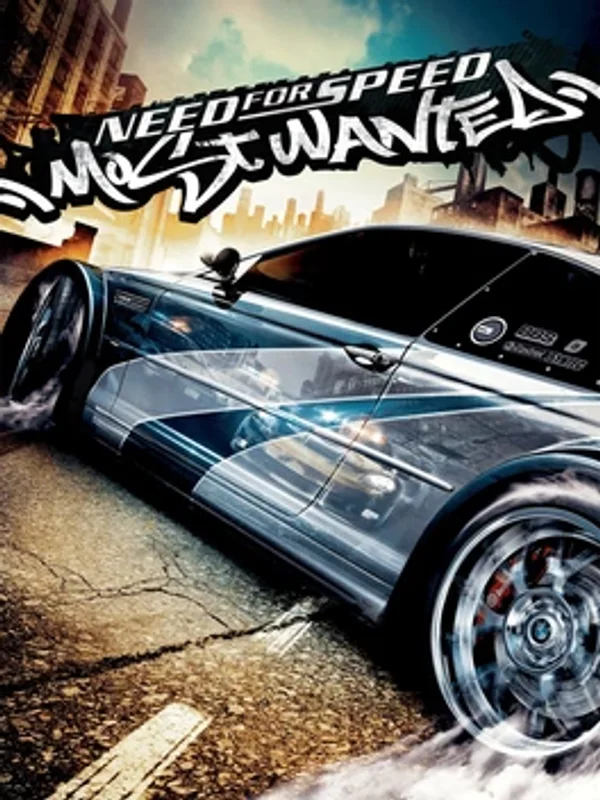
NFS: Most Wanted artwork; original rights holders. Cover published by ported2browser.org. Reference-directory cover artwork, not a captured gameplay test. Project & credits
All media and source credits ↗KEEP GOING
A useful next read
Read the named examples as comparisons; each project has its own controls and features.
Browser racers: learn the brake before the lap. ↗