KEEP THIS HANDY
Controls at a glance.
- Arrow keys
- Drive the car as indicated by the live page.
- Resolution / draw distance
- Adjust rendering settings beside the playfield.
- Straight / curves / hills / final links
- Choose a tutorial build; final is the combined demo.
Turn with the road in view
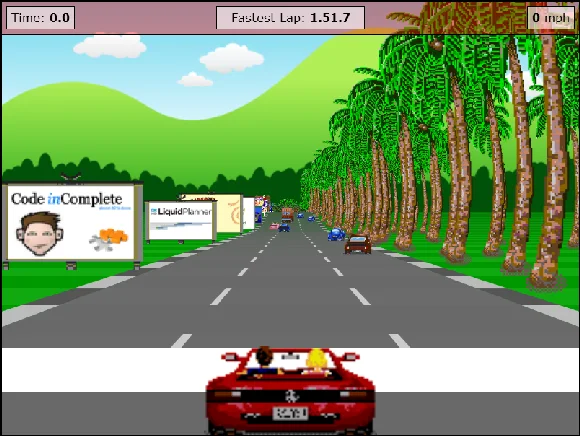
The road bends while scenery and traffic move toward the car. Use the visible lane boundaries to judge a correction instead of following a single roadside sprite. Begin with small inputs and learn how quickly the view changes. This guide does not prescribe a fastest-lap line or a collision-free route.
Use settings to isolate a rendering problem
The creator supplies resolution and draw-distance controls specifically because performance varies between systems. Lower one setting and compare the result before changing another. An old README’s browser version examples describe its original development period; they do not establish present-day frame rates on your computer or phone.
Know what the demo contains
The README calls this a starting point for a pseudo-3D racing game and lists a larger finished-game feature set as future work. The four tutorial links demonstrate stages of that same project. This catalogue counts the combined racer once, and opens the original host so its licensed music and art remain with that project.
What happens to your progress?
Persistent campaign saving has not been established by the reviewed documentation. Treat the linked build as a session unless its menu says otherwise.
Check the save and backup guide ↗A FEW USEFUL ANSWERS
Before the next click.
Are the four tutorial versions four games?
They are stages of this one racing project; this catalogue counts it once.
Is mobile play verified?
No. Start with a desktop keyboard and treat phone performance as unverified.
A useful next read.
Browser racers: learn the brake before the lap. ↗Follow the source.
Jake Gordon and the asset creators listed in the project README. Licence notice. MIT code; borrowed sprites and separately licensed music are exceptions.
Latest collected source change: updated links s/codeincomplete.com/jakesgordon.com (opens a new tab) . Repository activity does not identify the hosted game version.
All media and source credits ↗