KEEP THIS HANDY
Controls at a glance.
- 1 / 2 / 0
- Single player / two players / computer demonstration.
- Q / A; P / L
- Move player one; move player two.
- Escape
- Abandon the current game.
Choose the mode before the rally
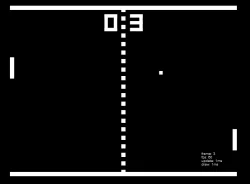
The title documents three distinct starts. A computer demonstration is a way to watch the game, while the single-player and two-player starts let people control a paddle. Select the intended mode deliberately so that an automated rally is not mistaken for a keyboard problem.
Leave the second player room
Both players use the same keyboard. Player one has Q and A; player two has P and L. Check the physical arrangement before a local game, especially on a small laptop. There is no network invitation or separate-device multiplayer documented on the checked page.
Read the rebound as useful feedback
Watch where the ball leaves the paddle and how much time you have to recover. Short rallies provide a clear reference for movement and collision without needing a long session. The linked technical tutorial separates the runner, bouncing ball, game loop, collisions and computer AI, offering a source-based explanation after you try the full game.
What happens to your progress?
Persistent campaign saving has not been established by the reviewed documentation. Treat the linked build as a session unless its menu says otherwise.
Check the save and backup guide ↗A FEW USEFUL ANSWERS
Before the next click.
Can two people play locally?
Yes. The original page documents a two-player mode on one keyboard.
Are the tutorial parts separate games?
They explain stages of this one project; the catalogue counts the full Pong game once.
A useful next read.
Small action games: learn the second action. ↗Follow the source.
Jake Gordon and the asset creators listed in the project README. Licence notice. MIT.
Latest collected source change: updated links s/codeincomplete.com/jakesgordon.com (opens a new tab) . Repository activity does not identify the hosted game version.
All media and source credits ↗