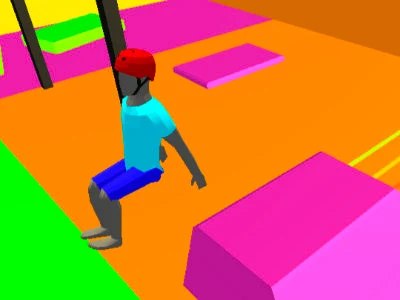
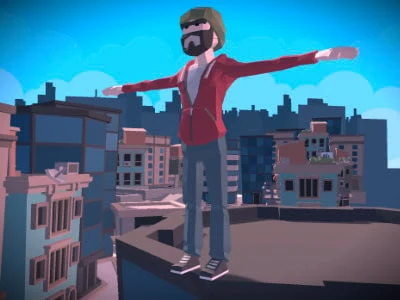
Preview attributed by Wasm Arcade to the original game or its publisher. See the image credits and original project; the artwork does not establish gameplay or endorsement. Project & credits ↗
Project status & checks
Launch
Embedded game window
Observed
Input observed; full playthrough not tested
Game data
Not verified for this build
Account / access
Current access requirements not independently verified
Desktop input
After clicking to begin, pressing Q and W changed the runner’s pose and distance, then produced a fall/result screen. O/P keys, save restoration and mobile input were not checked.
Mobile input
Not tested in the retained browser record
Evidence
browser-simulated-production-origin · 2026-11-08
After clicking to begin, pressing Q and W changed the runner’s pose and distance, then produced a fall/result screen. O/P keys, save restoration and mobile input were not checked.
Availability, input, game data and saving are separate checks. An HTTP response or a window load event does not establish gameplay.
Bennett Foddy's ragdoll runner maps the athlete's thighs and calves to four separate keys on a 100-meter track.
Step 1
Use Q and W for the thighs and O and P for the calves.
Step 2
Tap a key briefly at first, then alternate balanced steps without leaning too far forward.
Open the listing
Review the source project and its current availability.
02 / KEEP THIS HANDY
QWOP controls
Click inside the game window to give it input focus. After using another page control, return focus to the game.
Input / actionWhat it does
Project instructionsUse Q and W for the thighs and O and P for the calves. Tap a key briefly at first, then alternate balanced steps without leaning too far forward.
VerificationSome controls have been checked; the full control set and device support remain unverified.
After clicking to begin, pressing Q and W changed the runner’s pose and distance, then produced a fall/result screen. O/P keys, save restoration and mobile input were not checked. Production-origin parent document fulfilled by local browser test; same iframe sandbox as the site.
Bennett Foddy's ragdoll runner maps the athlete's thighs and calves to four separate keys on a 100-meter track.
Choose the source version
The on-page window uses the tested source; other versions are available through the Wasm Arcade listing.
Access and version requirements
Check the linked project for current account, payment, game-data and device requirements.
Project and image credits
The preview and its source credits are listed by Wasm Arcade; original game and artwork rights remain with their respective owners.
Source listing reviewed 2026-11-08. A source-site runtime observation does not establish cross-site embedding, gameplay, controls, save restoration or rights on this website.
05 / QUICK ANSWERS
QWOP questions
Where does this game open?+
Open the on-page window for the observed project, or use the Wasm Arcade listing in the project options.
Can it run in a window on this page?+
A sandboxed browser test displayed a startup screen or game scene. See the project status for the test environment and verification limits.
Are the controls and progress verified?+
Some controls were checked; the full control set and saving remain unverified.
06 / FOLLOW THE SOURCE
QWOP sources & credits
Wasm Arcade / Bennett Foddy. Artwork and games remain the property of their respective rights holders. Check the linked sources for terms.. Licence & asset notice.