01 / GET YOUR BEARINGS
How to start Tomb Raider III: Adventures of Lara Croft (Remastered)
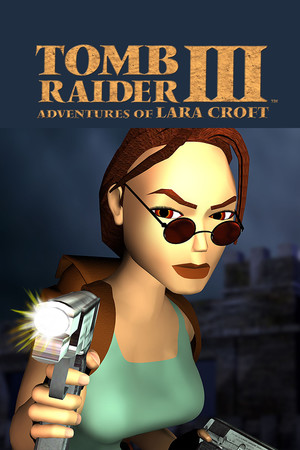
Travel across the world as Lara Croft investigates artifacts linked to a fallen meteorite.
Step 1
Open the GeForce NOW cloud game page and sign in to a supported account.
Step 2
Connect a PC game store account that owns Tomb Raider I–III Remastered, then start the collection.
Step 3
Select Tomb Raider III in the collection.
Step 4
Explore each area, jump and climb across hazards, dive through underwater routes and find keys and switches.
02 / KEEP THIS HANDY
Tomb Raider III: Adventures of Lara Croft (Remastered) controls
These notes describe the selected project. Read its current control instructions on the original website.
Creator’s control instructions
For device and input help, see the keyboard, pointer and touch guide.
03 / BEFORE YOU CLOSE
Saving progress in Tomb Raider III: Adventures of Lara Croft (Remastered)
Not verified
Favorites keeps this guide link. For game progress and backup checks, read the save and backup guide ↗.
04 / KNOW THE VERSION
About this Tomb Raider III: Adventures of Lara Croft (Remastered) project
- Genre
- Adventure
- Project type
- Original project
- Graphics
- Project preview
How the project works
Tomb Raider III takes Lara Croft from India to several other locations as she pursues artifacts connected to a meteorite. Tomb Raider I–III Remastered includes the third adventure with updated visuals and an option to switch to classic graphics.
Choose the source version
Open the Wasm Arcade listing to choose the recorded project. Embedding has not been verified for this project.
Access and version requirements
The source listing states: Tomb Raider III in the Tomb Raider I–III Remastered collection, not the original PlayStation build. GeForce NOW requires sign-in, a supported region and ownership of a supported PC store edition; membership, waiting times and device support vary. The artwork is from the original PC release.
Project and image credits
The preview and its source credits are listed by Wasm Arcade; original game and artwork rights remain with their respective owners.
Source listing reviewed 2026-11-08. A source-site runtime observation does not establish cross-site embedding, gameplay, controls, save restoration or rights on this website.
05 / QUICK ANSWERS
Tomb Raider III: Adventures of Lara Croft (Remastered) questions
Where does this game open?
The game link opens its Wasm Arcade listing. The selected source determines how it launches and whether further access is required.
Can it run in a window on this page?
Embedding and startup on this site have not been verified for this exact project.
Are the controls and progress verified?
Controls and saving for this specific version have not been independently verified here.
06 / FOLLOW THE SOURCE
Tomb Raider III: Adventures of Lara Croft (Remastered) sources & credits
Wasm Arcade / Aspyr / Crystal Dynamics; NVIDIA GeForce NOW. Artwork and games remain the property of their respective rights holders. Check the linked sources for terms.. Licence & asset notice.
All media and source credits ↗KEEP GOING