KEEP THIS HANDY
Controls at a glance.
- Pointer / click
- Aim at a target in the playfield and take a shot.
- P
- Pause, as labelled on the current host.
- M
- Mute, as labelled on the current host.
- F
- Fullscreen, as labelled on the current host.
Practice tracking before firing
A pointer gives you direct aim, but a moving target can change position while you prepare to click. As an opening exercise, follow its path briefly, then take one deliberate shot. Observe the feedback before firing again. This makes missed shots more useful for learning than a burst of inputs with no clear target.
Use the host’s interruption controls
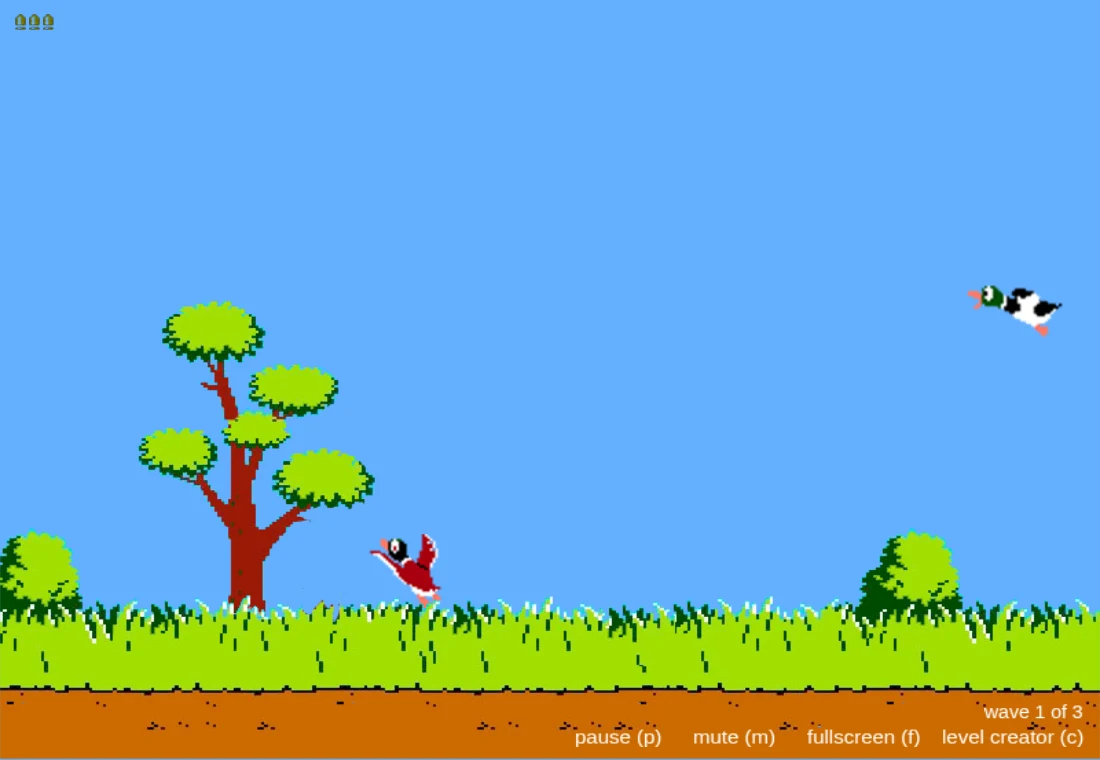
The captured interface labels P for pause, M for mute and F for fullscreen. Those controls are part of this host, not a generic promise for every Duck Hunt recreation. Learn the pause path before leaving an active wave, and release fullscreen through the browser’s usual exit control when you want to return to the guide.
A rewrite with recognizable assets
The README explains the JavaScript flow, PixiJS rendering and Howler audio. Its MIT implementation notice should be read alongside the separate rights in the original game’s images, sounds and name. This guide uses a credited editorial capture and links the project’s host; it does not offer the game’s asset archive for reuse.
What happens to your progress?
No persistent campaign save or export is established by this entry.
Check the save and backup guide ↗A FEW USEFUL ANSWERS
Before the next click.
Do I need an original light gun?
This browser recreation takes pointer interaction. It is a separate implementation with its own input code.
Can I reuse everything because the repository says MIT?
The implementation’s licence and rights in original game media are separate. Read the relevant asset notices before reuse.
A useful next read.
Duck Hunt JS: track first, then take the shot. ↗Follow the source.
Matt Surabian and contributors; original Duck Hunt imagery, sounds and marks retain their respective owners. Licence notice. MIT JavaScript implementation; original game assets have separate rights.
Latest collected source change: Merge pull request #75 from jasonfroderman/master (opens a new tab) . Repository activity does not identify the hosted game version.
All media and source credits ↗