KEEP THIS HANDY
Controls at a glance.
- Pointer / touch board
- Select a piece and its destination in a lesson.
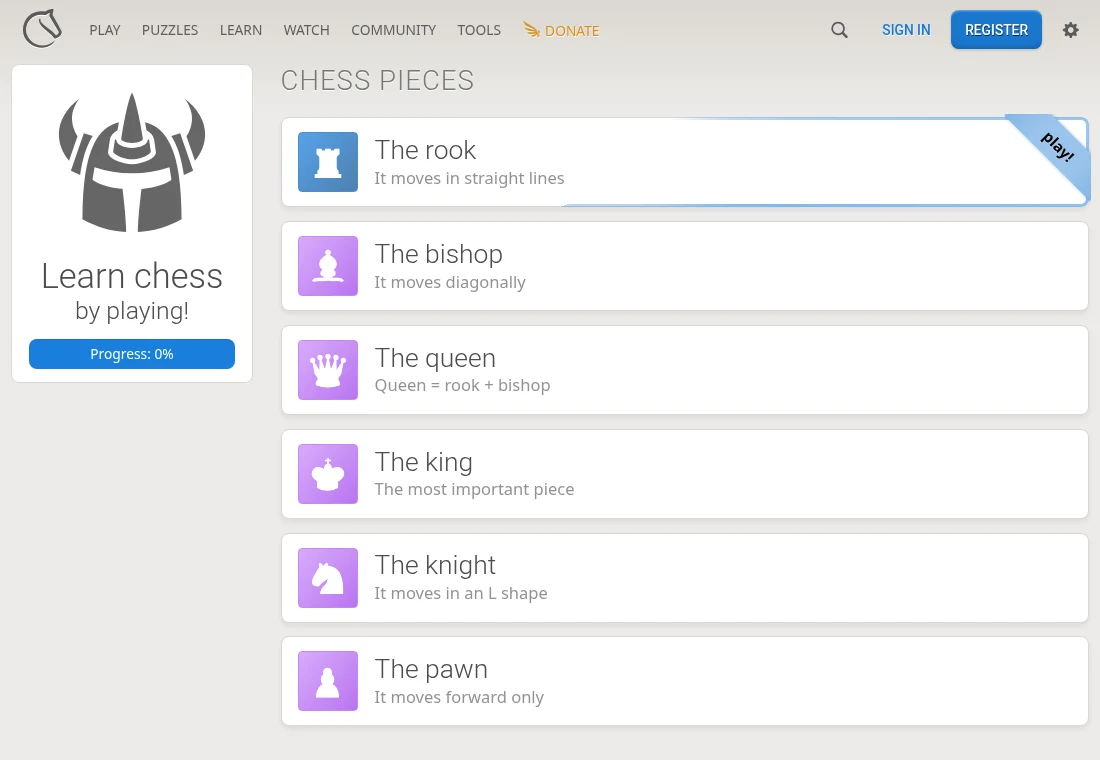
- Learn → Chess basics
- Choose a piece or rules lesson.
- Puzzles / Practice / Play
- Switch tasks deliberately; each area has a different purpose.
A lesson has a smaller goal than a game
The basics area introduces piece movement through interactive exercises. Use one lesson to learn the rook’s straight movement or the bishop’s diagonals. There is no need to manage an opponent, opening preparation and a fast clock at the same time while learning a piece’s legal destinations.
Keep puzzles and live play separate
The site exposes learning, practice, puzzles and play as different areas. A tactical puzzle asks for a solution in a position; a live game includes the opponent’s decisions and the selected time control. Before starting a match, read its clock and mode. A comfortable lesson pace does not establish comfort with a short timed game.
Know which service holds the record
This guide links Lichess and does not host a chess server. Account identity, games and any server-side records belong there. The open server repository also lists artwork and sound licences separately; “open source” is not a blanket licence for every chess set or logo.
What happens to your progress?
Lesson progress and server game history are different. An account can identify server records; this guide does not promise anonymous cross-device lesson sync.
Check the save and backup guide ↗A FEW USEFUL ANSWERS
Before the next click.
Does this link immediately start a match?
It opens Chess basics, a learning area. Choose Play separately when you want a game.
Are puzzles the same as beginner lessons?
No. The basics teach rules and piece movement; puzzles ask you to solve positions.
A useful next read.
Lichess: learn a piece before choosing a clock. ↗Follow the source.
The Lichess authors and contributors; individual artwork credits in COPYING.md. Licence notice. AGPL-3.0-or-later server; artwork and sound exceptions listed separately.
Latest collected source change: add missing varyAccept in RelayRound.show json response (opens a new tab) . Repository activity does not identify the hosted game version.
All media and source credits ↗