KEEP THIS HANDY
Controls at a glance.
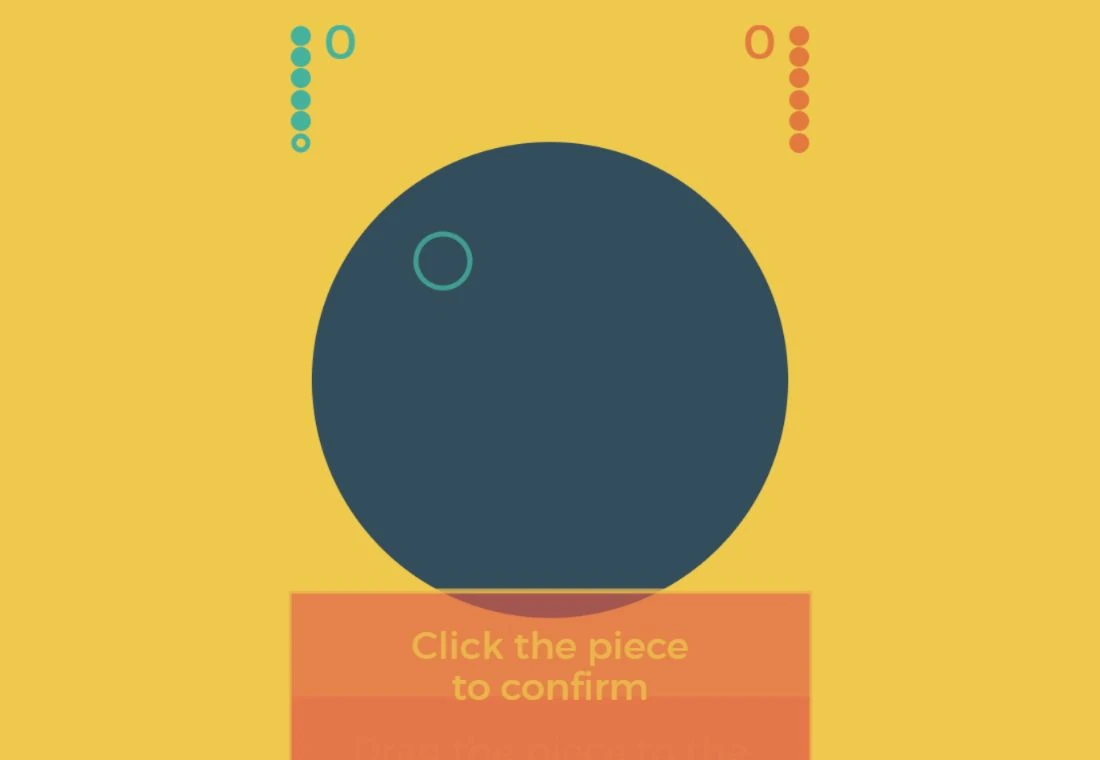
- Click the board
- Create a piece in the tutorial.
- Drag, then click the piece
- Move it into position and confirm as the tutorial instructs.
- Turn and score indicators
- Read the active player; keep secret placements private until the game reveals them.
Choose a partner or the CPU
The original menu offers vs. human, vs. CPU and tutorial. The project describes local pass-and-play for the human option. Use that mode when sharing a device, and keep placement choices private as the tutorial explains. A CPU option gives you a separate way to learn without another person present; remote matchmaking is not established here.
Follow placement through confirmation
The tutorial introduces a click on the board, a drag into a highlighted zone and a click on the piece to confirm. Each stage has its own feedback. Learn those stages before making a competitive choice so an unfinished drag is not mistaken for a committed placement. The tutorial describes distance and piece positions as the basis of scoring.
Keep the handover deliberate
Read the active player and the stage before passing control. Hidden placement and revealed scoring are different moments. Give the next player privacy while making a choice, then read the shared result when the game reveals it. For an interruption, inspect the actual menu rather than assuming the current arrangement can be resumed on another device.

What happens to your progress?
A portable match-save or cloud account is not established by the reviewed documentation. Plan a shared session without assuming cross-device resume.
Check the save and backup guide ↗A FEW USEFUL ANSWERS
Before the next click.
Can I send an invitation to a remote friend?
Remote matchmaking is not established here. The human mode is described as local pass-and-play.
Can I try it alone?
The checked original menu offers vs. CPU alongside vs. human and tutorial.
A useful next read.
Radüm: learn a placement before the handover. ↗Follow the source.
Michael Townsend / doublespeak games; audio by Andrew Thomas; logo by Grant Jeffery; themes by Radiant Design. Licence notice. MPL-2.0 project; named audio and artwork contributors retain their credits.
Latest collected source change: Work without GA loaded (opens a new tab) . Repository activity does not identify the hosted game version.
All media and source credits ↗