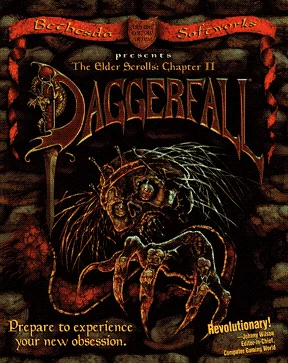
You begin in Privateer's Hold and explore Tamriel's Iliac Bay region, completing quests and developing a character through combat, magic and reputation. The project reimplements the 1996 RPG on a WebGL2 renderer using your own game files.
Preview attributed by Wasm Arcade to the original game or its publisher. See the image credits and original project; the artwork does not establish gameplay or endorsement. Project & credits ↗
Project status & checks
Launch
Original website
Observed
No browser startup evidence recorded
Game data
Not verified for this build
Account / access
Current access requirements not independently verified
Desktop input
Not tested in the retained browser record
Mobile input
Not tested in the retained browser record
Evidence
unknown · 2026-11-08
Availability, input, game data and saving are separate checks. An HTTP response or a window load event does not establish gameplay.
An open-source browser rebuild of Daggerfall that runs from your own copy of the game's data files.
Step 1
Obtain the Daggerfall game files from Steam, GOG or Bethesda's DaggerfallGameFiles.zip, then press Play on the project page and select your ARENA2 folder (under DF/DAGGER/ARENA2 for Steam); you can also drop the folder onto the page or supply the zip on a phone.
Step 3
Complete quests and develop your character through combat, magic and reputation as you explore towns, dungeons and the wider world.
02 / KEEP THIS HANDY
The Elder Scrolls II: Daggerfall controls
These notes describe the selected project. Read its current control instructions on the original website.
Input / actionWhat it does
Project instructionsObtain the Daggerfall game files from Steam, GOG or Bethesda's DaggerfallGameFiles.zip, then press Play on the project page and select your ARENA2 folder (under DF/DAGGER/ARENA2 for Steam); you can also drop the folder onto the page or supply the zip on a phone. Complete quests and develop your character through combat, magic and reputation as you explore towns, dungeons and the wider world.
VerificationControls and device support have not been independently checked for this exact project.
Saving progress in The Elder Scrolls II: Daggerfall
Not verified
Favorites keeps this guide link. For game progress and backup checks, read the save and backup guide ↗.
COMPARE THE ACTUAL VERSIONS
The Elder Scrolls II: Daggerfall browser projects
The links below identify separate projects. Their controls, game files and progress can differ.
The Elder Scrolls II: Daggerfall — Wasm Arcade
Browser project
Wasm Arcade; original project: Bethesda Softworks (1996) · Browser version / host: Lattymoy · Listed inputs: Check project instructions
The source site lists an embedded player. On-page embedding and startup on this site have not been verified. Source listing states: Requires your own copy of The Elder Scrolls II: Daggerfall data files and a current browser with WebGL2; classic and Daggerfall Unity saves cannot be imported yet and there is no mod support.
About this The Elder Scrolls II: Daggerfall project
Genre
Adventure
Project type
Browser project
Graphics
Project preview
How the project works
You begin in Privateer's Hold and explore Tamriel's Iliac Bay region, completing quests and developing a character through combat, magic and reputation. The project reimplements the 1996 RPG on a WebGL2 renderer using your own game files.
Choose the source version
Open the Wasm Arcade listing to choose the recorded project. Embedding has not been verified for this project.
Project and image credits
The preview and its source credits are listed by Wasm Arcade; original game and artwork rights remain with their respective owners.
Source listing reviewed 2026-11-08. A source-site runtime observation does not establish cross-site embedding, gameplay, controls, save restoration or rights on this website.
05 / QUICK ANSWERS
The Elder Scrolls II: Daggerfall questions
Where does this game open?+
The game link opens its Wasm Arcade listing. The selected source determines how it launches and whether further access is required.
Can it run in a window on this page?+
Embedding and startup on this site have not been verified for this exact project.
Are the controls and progress verified?+
Controls and saving for this specific version have not been independently verified here.
06 / FOLLOW THE SOURCE
The Elder Scrolls II: Daggerfall sources & credits
Wasm Arcade / Bethesda Softworks (1996) · Browser version / host: Lattymoy. Artwork and games remain the property of their respective rights holders. Check the linked sources for terms.. Licence & asset notice.